
Download AviSplit – Video Splitter, AVI File Split, Video Editor, AVI 2, DivX, Mobile Video Editing, Video Clip Extractor
Overview
AviSplit is a specialized mobile utility designed for users who need to divide AVI-formatted video files into smaller segments without altering the original content. The app serves as a lightweight yet effective solution for individuals managing video files on Android devices, particularly those working with AVI 2 and DivX formats. Its core purpose is to simplify the process of video segmentation, offering a no-frills tool for splitting lengthy videos into manageable parts or extracting specific clips for sharing or personal use.
Target users include content creators, educators, students, and casual users who frequently handle AVI files and require a straightforward way to edit them on mobile devices. Whether preparing video segments for social media, organizing lecture recordings, or saving favorite scenes from a movie, AviSplit provides a direct method to achieve these goals. The app is especially valuable in environments where full-featured video editing software is unavailable or impractical to use.
Although the developer, AviSplit, has not provided extensive background details, the app’s longevity—first released in 2006—suggests a niche but enduring utility. Its continued availability on Android indicates consistent functionality and relevance within the mobile productivity space. In an ecosystem dominated by complex video editing tools, AviSplit fills a gap by focusing on a single, well-defined task: safe and efficient AVI file splitting.
Key Features & Functionality
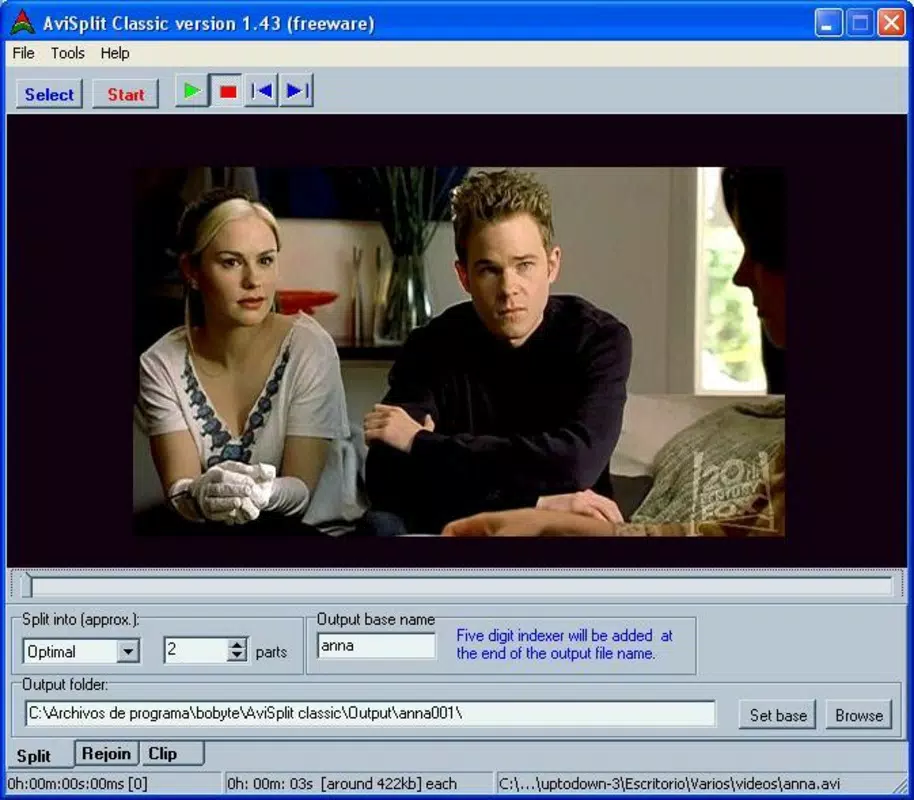
- Video Splitting Functionality: AviSplit enables users to divide AVI video files into multiple segments. Users can specify the exact number of parts they want, or let the app generate smart recommendations based on file length and format.
- Original File Preservation: A critical feature is that the original video file remains untouched. All output segments are new, independent files, ensuring no risk of data loss or corruption during the splitting process.
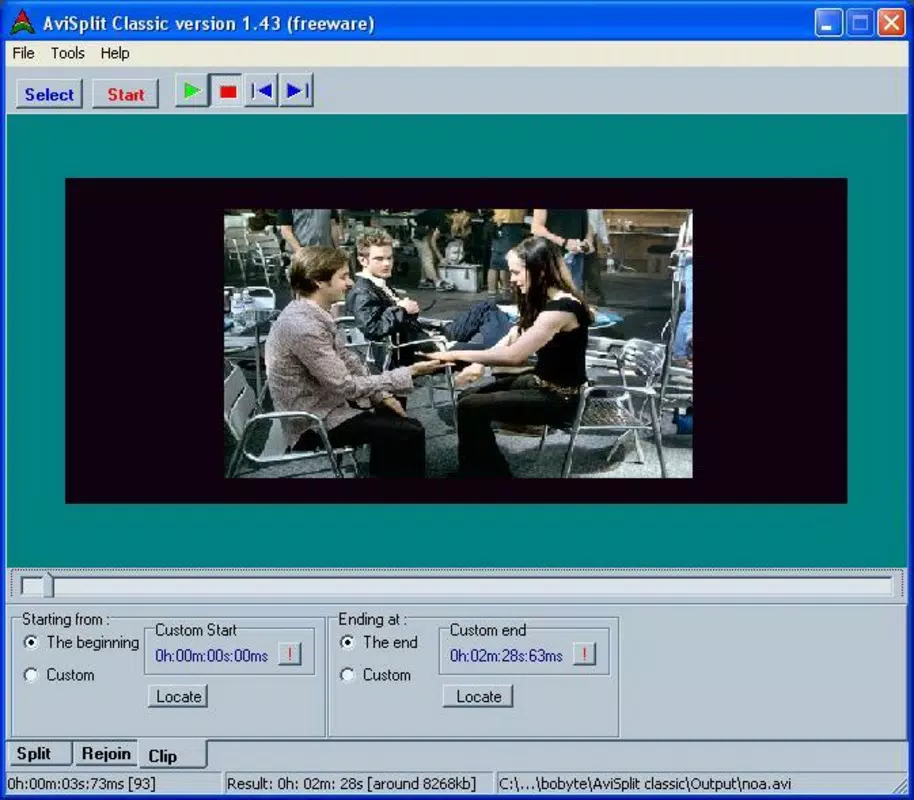
- Custom Part Extraction: Users can select specific time ranges within a video and extract them as standalone clips. This is ideal for isolating key moments, such as a memorable quote or a demonstration step, without saving the entire video.
- User-Friendly Recommendations: For users unsure about how many segments to create, AviSplit offers intelligent suggestions, reducing the need for technical judgment and streamlining the workflow.
- Format Support: The app supports AVI 2 and DivX formats, making it compatible with a wide range of AVI files commonly used in older or specialized video workflows.
For example, a student might use AviSplit to extract a 3-minute lecture segment from a 45-minute recording. Similarly, a content creator could split a long-form video into short clips for different social media platforms. The app’s simplicity makes it ideal for quick, on-the-go edits without the overhead of complex software.
Interface, UX & Performance
The interface of AviSplit is designed with minimalism and functionality in mind. It features a clean layout with essential controls clearly labeled, allowing users to navigate through the video splitting process with ease. The visual style is utilitarian, prioritizing usability over aesthetic embellishments, which aligns with its purpose as a productivity tool.
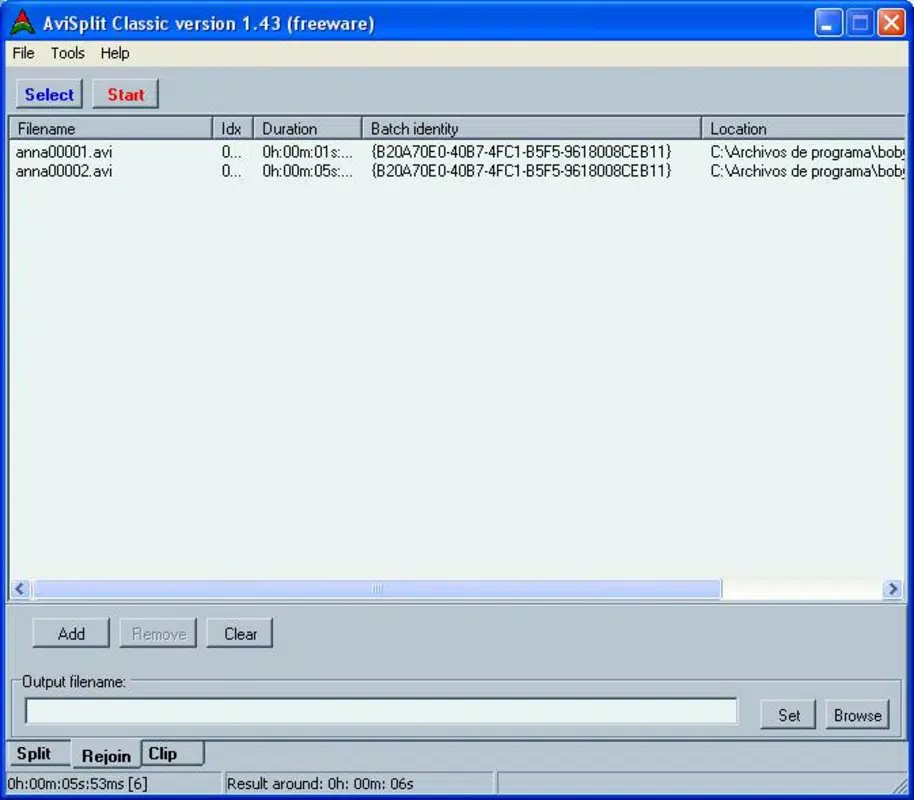
Navigation follows a linear flow: select the video file, choose the splitting method (number of parts or recommendation), define segment boundaries if needed, and initiate the split. This straightforward progression ensures that users can complete tasks quickly, even with limited technical experience.
Although the developer did not list formal performance metrics, the app’s small file size of 1.4 MB suggests optimized code and low resource consumption. It is likely to run smoothly on a broad range of Android devices, including older models. Responsiveness appears consistent based on the app’s long-standing presence, and stability is implied by its continued availability without reported widespread issues.
Platform Compatibility & Technical Requirements
AviSplit is available exclusively on the Android platform. It is compatible with Android devices running the OS version specified in the app listing. The app’s file size is 1.4 MB, which indicates a lightweight footprint suitable for devices with limited storage capacity.
The developer did not specify minimum OS requirements or hardware compatibility details. As such, users should ensure their device supports the installation of legacy Android applications. The app’s version is 1.0.0, suggesting it may not have undergone major updates in recent years, but its core functionality remains intact.
Pros and Cons
Pros
- Free to download and use, with no in-app purchases or ads reported.
- Original AVI files remain unmodified, ensuring data safety.
- Supports both AVI 2 and DivX formats, enhancing versatility.
- Simple, intuitive interface suitable for non-technical users.
- Lightweight size (1.4 MB) enables quick installation and low storage usage.
Cons
- Only supports AVI and DivX formats; no support for MP4, MOV, or other common video types.
- Version 1.0.0 suggests limited recent updates or modern feature enhancements.
- Compatibility with newer Android versions was not confirmed by the developer.
- No cloud integration or export options beyond local file saving.
- Developer did not provide detailed technical specifications or system requirements.
FAQ
Is AviSplit safe to download and install?
Yes, AviSplit is available as a free mobile app with no reported security issues. It does not require sensitive permissions and operates locally on the device.
Can I split videos into custom time intervals?
Yes, AviSplit allows users to extract specific segments by selecting start and end times, enabling precise clip creation.
Does AviSplit modify the original video file?
No, the original video file remains completely untouched. All output segments are new files created during the splitting process.
What video formats does AviSplit support?
AviSplit supports AVI 2 and DivX formats. It does not support other video types such as MP4 or MOV.
Is AviSplit available for iOS devices?
Currently, AviSplit is only available for Android. There is no official iOS version reported by the developer.
Final Thoughts
AviSplit remains a reliable, no-nonsense tool for users who need to split AVI files on Android without the complexity of full video editing software. Its focus on a single task—safe, format-specific video splitting—makes it highly effective for its intended audience. While it lacks modern features and support for newer video formats, its simplicity, low resource usage, and commitment to preserving original files are significant advantages.
For individuals working with AVI 2 or DivX files, especially in educational, archival, or personal media contexts, AviSplit delivers consistent value. Its free pricing and lightweight design make it an accessible option for users with older devices or limited storage.
Download AviSplit now


